Records
People, companies and deals
Contacts, organisations and opportunities with the relations between them, plus notes, tasks and file attachments on any record.

0
Enterprise CRM — managed by MrZaKaRiA IT Solutions
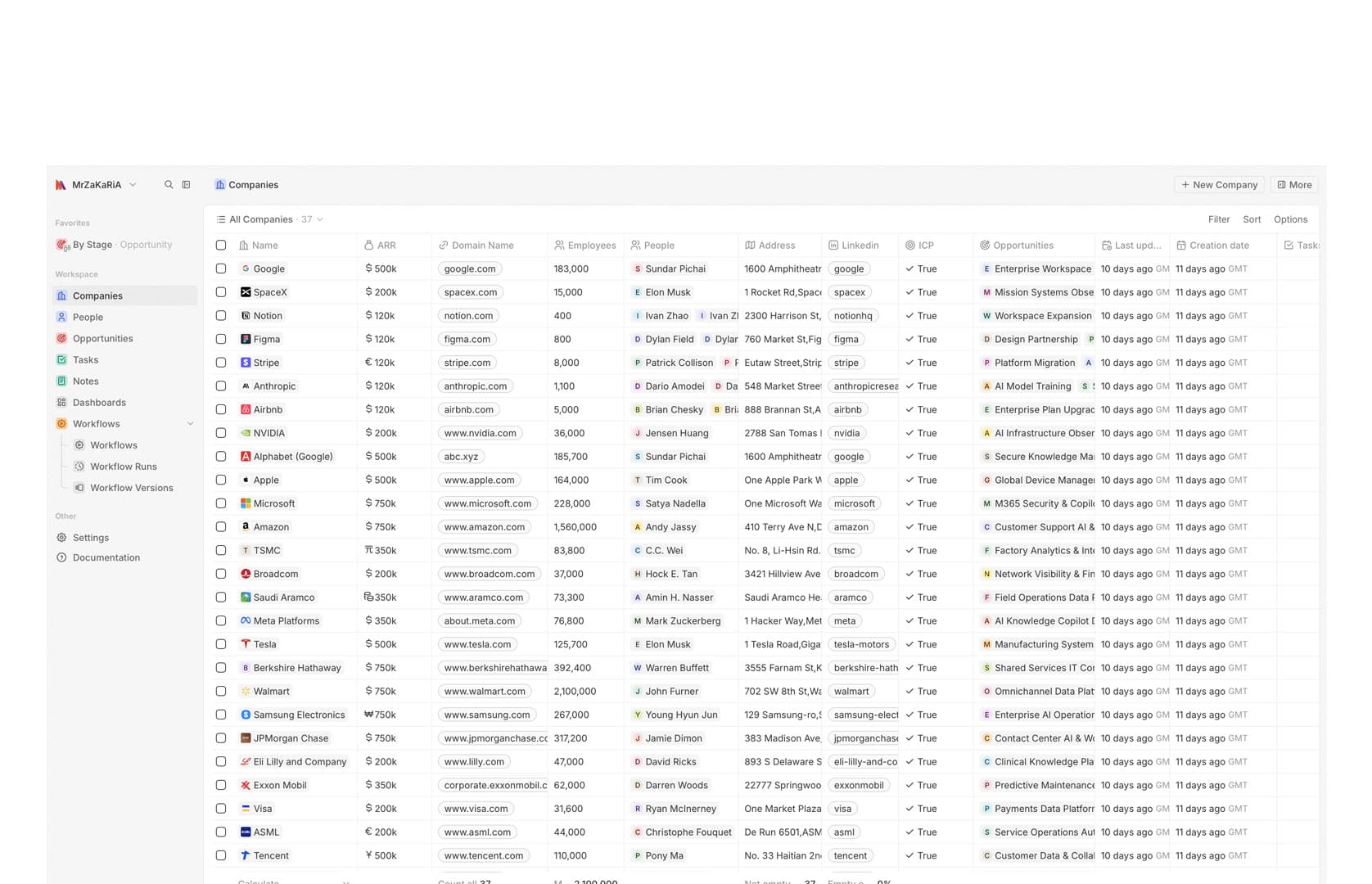
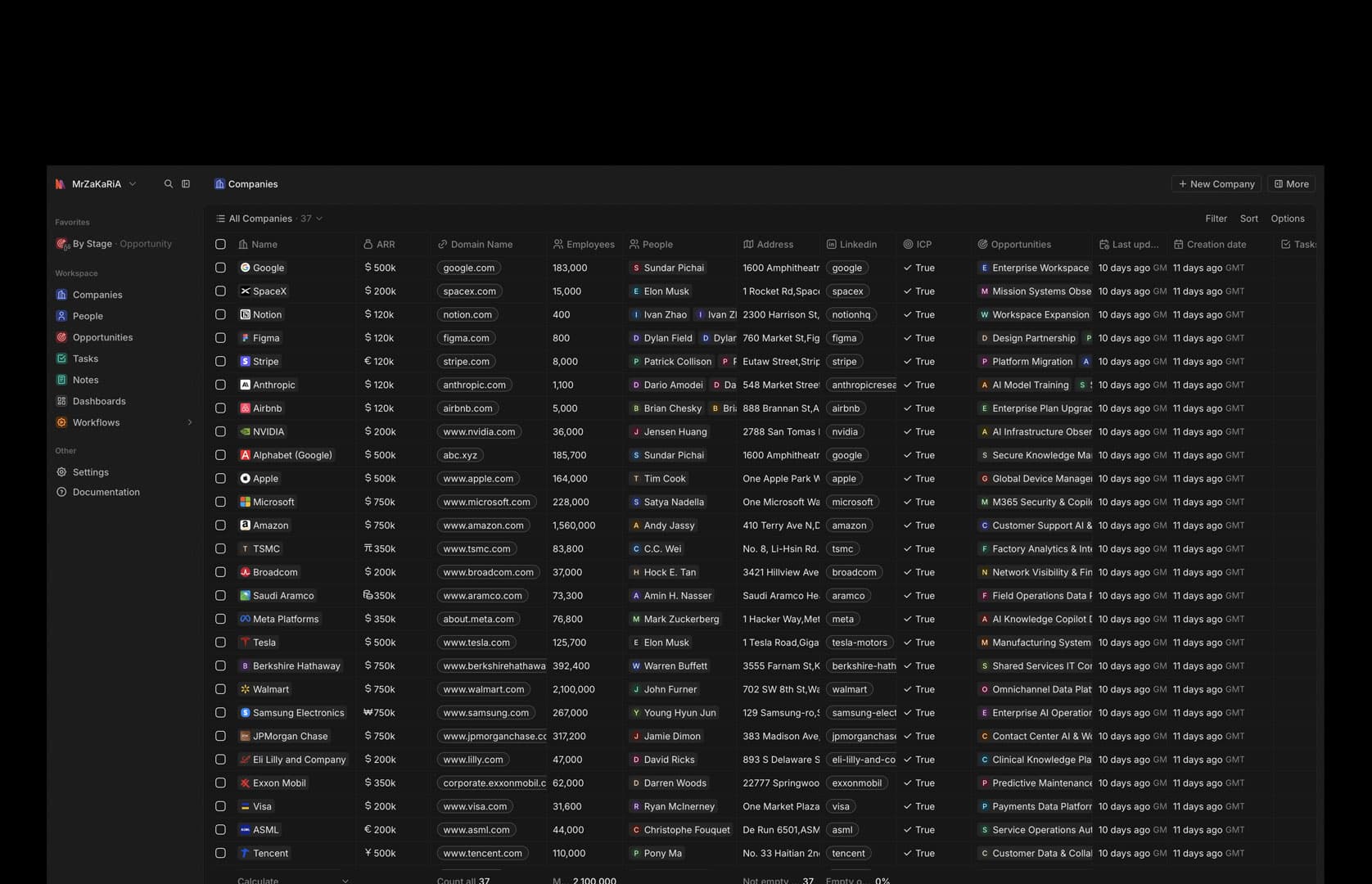
Enterprise CRM is a private instance of Twenty, the modern open-source CRM, that MrZaKaRiA IT Solutions installs, configures, hosts, upgrades and backs up for you. People, companies and deals, custom objects and fields, kanban and calendar views, no-code workflows, mailbox connection and dashboards — with every record in your own PostgreSQL database instead of a vendor's cloud.
The current release of the open-source CRM, running live on our server and health-checked.
Every record sits in your own PostgreSQL database, with product analytics switched off.
No-code workflow steps — records, filters, delays, email, HTTP, code and AI — across 4 kinds of trigger.
Interface languages in the live build, English, French and Arabic among them.
What it is
Enterprise CRM is Twenty, an established open-source CRM built with React, NestJS and PostgreSQL, run for you as a private instance by MrZaKaRiA IT Solutions. We did not write Twenty, and we will not pretend to. What we do is everything around it: the install, the configuration of objects, views and workflows to your sales process, the import of your contacts and deals, HTTPS, backups, upgrades and support.
That split is the point. You get a modern CRM that a large open-source community keeps improving, without renting it seat by seat, and without becoming your own system administrator. Your data stays in a standard PostgreSQL database on a server you control, in a single private workspace that is not shared with anyone else.
What is inside
These are Twenty's own features, running on the live instance. Where something needs extra setup, it says so.
Records
Contacts, organisations and opportunities with the relations between them, plus notes, tasks and file attachments on any record.
Pipeline
An opportunities pipeline with table, kanban and calendar views, each with its own filters, sorting and saved favourites.
Your model
Add your own objects and fields — text, number, date, select, relations and more — so the CRM matches how you sell rather than the other way round.
Automation
Trigger on a record being created, updated or deleted, on a schedule, on a webhook or by hand, then create or update records, send email, call an API, run code or ask an AI agent.
Communication
IMAP, SMTP and CalDAV connection is on. Google and Microsoft sync is supported by Twenty and set up on request with their own app approvals.
Insight
Dashboards built from widgets, and an AI chat and AI agents inside the CRM, powered by the model providers you configure.
Access
Role-based access to the workspace, so each person sees and changes what their job needs.
Data
CSV import for companies and contacts, full export, and REST and GraphQL APIs with webhooks for your other tools.
Operations
A Docker Compose stack — server, worker, PostgreSQL and Redis — behind HTTPS, with backups and staged upgrades handled by us.
Shape it to your process
Most CRMs make you rename your process to fit their fields. Twenty lets you add the objects your business actually has — projects, sites, contracts, vehicles — and connect them to people and deals.
Operated for you
Self-hosting is only an advantage if someone looks after it. Our tested runbook covers the whole life of the instance, so you get the control of self-hosting without the chores.
Delivery
The same six steps every time. Nothing is installed before your process is written down.
We go through how you find, follow and close customers, and decide which objects, fields and stages the CRM needs.
A private Twenty instance on its own server, with HTTPS, backups and monitoring from day one.
Objects, fields, views, roles and the first workflows, set up to your process.
Your contacts, companies and open deals come across by CSV or API, checked before go-live.
A working session with your team on their own pipeline, not on a demo.
Upgrades, backups and support continue after launch. You can also take the instance over yourself at any time.
Compare
HubSpot and Salesforce are excellent products with ecosystems we do not match, and two rows below say so. The question is whether you want to rent a CRM per seat or own one.
| Capability | Enterprise CRM (managed Twenty) | HubSpot / Salesforce (SaaS) | Install Twenty yourself |
|---|---|---|---|
| Customer data in a database you control | ✓ | — | ✓ |
| No per-seat subscription to a software vendor | ✓ | — | ✓ |
| Open-source core you can inspect and keep | ✓ | — | ✓ |
| Install, upgrades, backups and HTTPS handled for you | ✓ | ✓ | — |
| Custom objects and fields | ✓ | Partial | ✓ |
| No-code workflow automation | ✓ | ✓ | ✓ |
| Large app marketplace and native integrations | — | ✓ | — |
| Decades of track record and certified partners | — | ✓ | — |
What you own
The protections are real and each one has a limit, stated here rather than in a contract footnote.
The catch, in our words
Clients
Named clients, on the engagements they actually ran with us — build, ERP and hosting work rather than reviews of this specific product.
The web design services provided by MrZaKaRiA are top-notch. The aesthetics, functionality, and user experience of our website have significantly improved. We’ve received numerous compliments from our clients. Highly recommended!
MrZaKaRiA programming services are exceptional. They’ve helped us develop robust ERP solution that have streamlined our operations. Their team is knowledgeable, efficient, and a pleasure to work with.

As a startup, we needed a reliable partner for our online presence. The web design, programming, and hosting services we received were outstanding. MrZaKaRiA played a crucial role in our success. We couldn’t be happier!

We’ve been using MrZaKaRiA hosting services for over a 4 year now, and the uptime is fantastic. Our website loads quickly, and we’ve experienced no downtime. Their customer service is responsive and helpful whenever we have questions.

FAQ
Straight answers, including the one about who wrote the software.
No. Enterprise CRM is Twenty, an established open-source CRM. MrZaKaRiA IT Solutions deploys, configures, hosts, upgrades and backs up a private instance for you. The live instance runs Twenty 2.41.
In your instance's own PostgreSQL database, with attachments stored on the same server, not in a shared multi-tenant cloud.
Yes, within Twenty's features. You can add custom objects and fields, build table, kanban and calendar views such as deals by stage, and automate steps with no-code workflows.
IMAP, SMTP and CalDAV connection is enabled. Google or Microsoft sync is supported by Twenty and set up on request, because each needs its own app approval.
Yes. Companies and contacts import by CSV, and anything else can come in through the REST or GraphQL API. We check the import before go-live.
Twenty includes an AI chat and AI agents, and an AI agent can be a step in a workflow. They run on the model providers you configure.
Twenty's core is AGPLv3 open source and your data is in standard PostgreSQL. You can export everything, or take over the instance yourself.
Next step
Bring a list of how you sell today. You get a walkthrough on your own stages and a straight answer on whether Enterprise CRM fits — or whether a SaaS CRM would serve you better.